Every computer you own, scheduled as one machine.
Andromeda Cluster pools your workstations, laptops and GPU boxes into one queue. Its AI scheduler learns how long your jobs take and how much memory they need, then packs them onto the machines that will finish them first.
It learns your workload from the jobs you already run
There is nothing to configure. Every finished job is a training example, stored and learned on your own coordinator.
Run
Submit commands as you normally would. Node agents report wall time and peak memory for every job.
Learn
Each command is fitted as a power law of its numeric arguments. After two or three runs it knows how runtime and memory grow with
--n,--stepsormesh=. It also learns how fast each machine really is.Place
Short jobs go first, waiting jobs climb the queue, memory is reserved from the prediction so nothing runs out, and long jobs land where they finish soonest.
| --n | measured | peak memory | AI estimate |
|---|---|---|---|
| 1000 | 0m 38s | 310 MB | · |
| 2000 | 2m 31s | 1.2 GB | · |
| 4000 | 10m 06s | 4.9 GB | 9m 52s |
| 8000 | not run yet | ≈ 19.6 GB | ≈ 40m 20s |
A real cluster scheduler, sized for a lab or a home office
One-click start
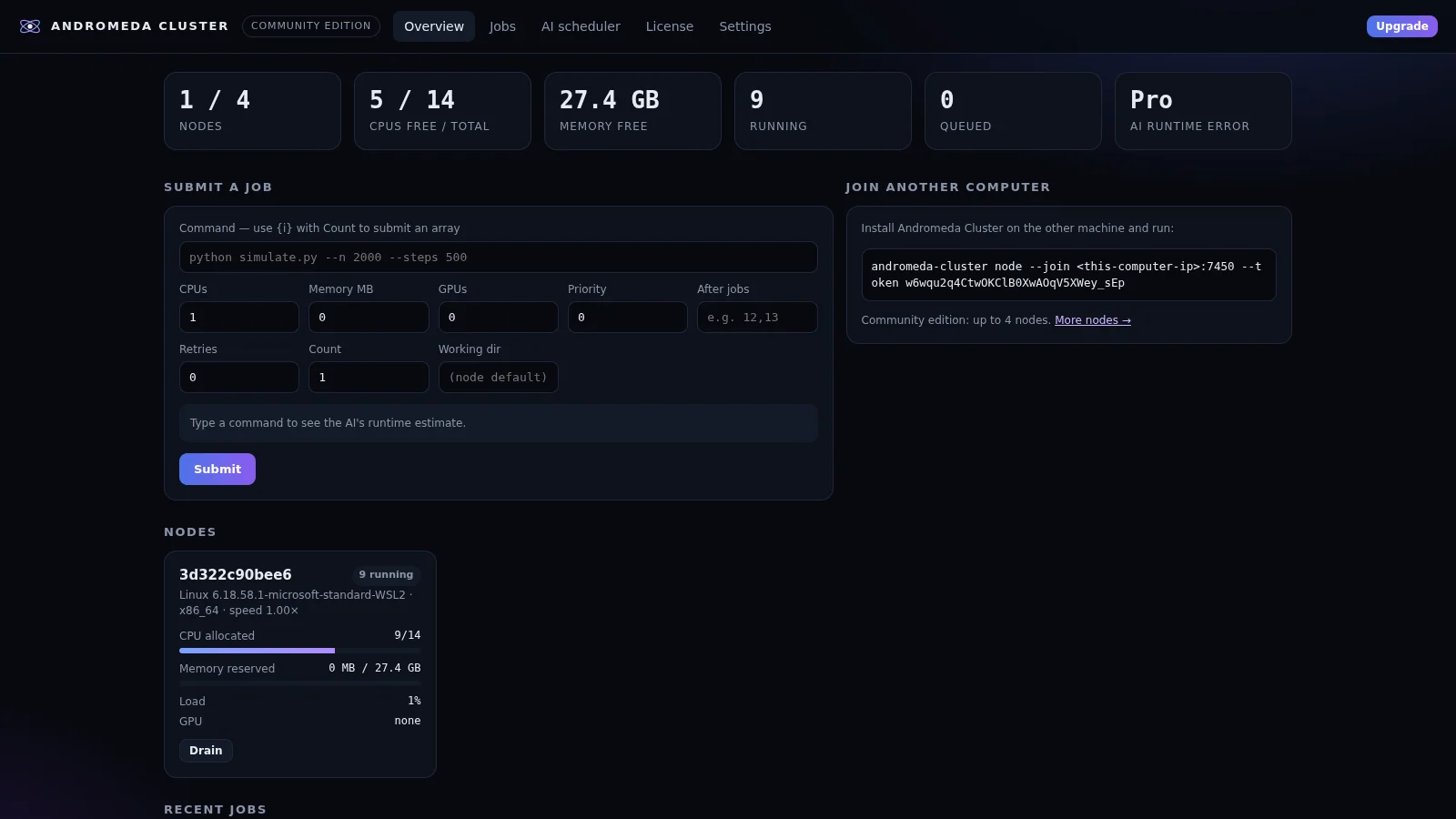
Run the app and your computer becomes the coordinator and first node. Other machines join with one command.
Job arrays
Submit 240 render frames or parameter sweeps in one line with {i} in the command.
Live dashboard
Nodes, loads, queues and streaming logs in the browser. Cancel, drain and resubmit without a terminal.
GPU scheduling
NVIDIA GPUs are detected and handed out per job through CUDA_VISIBLE_DEVICES, never shared by accident.
Pipelines and retries
--after 12,13 waits for earlier jobs. --retries 2 reruns flaky steps automatically.
Dashboard anywhere
Open the dashboard from your phone or any computer on the network.
Team tokens
Give each person their own REST API token. They see and submit only their own jobs.
Fair-share
Whoever used the cluster most in the last 24 hours waits a little longer, so nobody can hog it.
Webhooks
Get a JSON POST when a job finishes or fails. Wire it into Slack, CI or your own tools.
Pay once. Keep it forever.
Every licence is perpetual and includes a year of updates. Only the coordinator needs a key. Nodes are always free, so a 30-machine cluster costs the same as a 3-machine one.
Community
For trying it out and small home setups.
- Up to 4 nodes
- Priority and first-come scheduling
- Dashboard and CLI on the coordinator
- Job arrays and live logs
Pro Most popular
For researchers, engineers and render nodes.
- Up to 32 nodes
- AI runtime and memory prediction
- Fastest-node placement and tight packing
- GPU scheduling
- Job dependencies and automatic retries
- Dashboard from any device
Premium
For labs and teams sharing machines.
- Unlimited nodes
- Everything in Pro
- Per-user REST API tokens
- Fair-share between users
- Webhooks
Your Andromeda Cluster order
Find your purchases and original keys in your account. Sign in with the email used at checkout.
Checking payment and licence delivery…
Open the dashboard, go to License, paste the key and click Activate. Or run andromeda-cluster license activate <key> on the coordinator. The key is checked offline. Keep a copy of the key and your Stripe receipt.
Prices in EUR. Any applicable tax is shown at checkout. Your key appears on this page right after payment and is also sent by email.
| Community | Pro | Premium | |
|---|---|---|---|
| Nodes | 4 | 32 | Unlimited |
| Dashboard, CLI, job arrays, logs | ✓ | ✓ | ✓ |
| AI runtime and memory prediction | – | ✓ | ✓ |
| GPU scheduling | – | ✓ | ✓ |
| Dependencies and retries | – | ✓ | ✓ |
| Dashboard from other devices | – | ✓ | ✓ |
| Per-user API tokens | – | – | ✓ |
| Fair-share and webhooks | – | – | ✓ |
Install Cluster on your Windows computers
One download contains the coordinator, the node agent and the dashboard. Every edition uses the same installer; your licence key unlocks Pro or Premium.
Checking for the latest tested release…
Windows
Windows 10 or 11 · x86_64
Windows download unavailableRun the setup file. It adds Andromeda Cluster to the Start menu and the andromeda-cluster command to your terminal.
Download SHA256 checksums · Verify the file before running it.
Three commands to a working cluster
# 1. On your main computer: start the coordinator and dashboard
andromeda-cluster

# 2. On every other computer: join with the token the dashboard shows
andromeda-cluster node --join 192.168.1.20:7450 --token <cluster-token>

# 3. Submit work from anywhere on the network
andromeda-cluster submit "python simulate.py --n 4000" --cpus 8
Before you install
How do updates work?
Installed copies check 14d.space shortly after starting and every four hours, verify a signed update and install it: silently on Windows after the app exits, and side by side on Linux, starting on the next launch. Licensed coordinators stay within their update period and nodes always update. Set ANDROMEDA_AUTO_UPDATE=0 to turn it off.
Can I mix Windows and Linux machines?
Yes. Each node runs its jobs with its own shell, so pin OS-specific jobs to a node or keep commands portable, like python script.py.
Does my data leave my network?
No. Jobs, logs and the learned model stay on your coordinator. Activation is offline.
Is the traffic encrypted?
Machines authenticate with a challenge so the cluster token never crosses the wire, but job traffic is not encrypted. Use it on a trusted network or over a VPN.
What happens if a machine goes offline?
Its running jobs go back in the queue and start on another node. The scheduler notices within 15 seconds.
Does the AI need the internet?
No. The scheduler learns from your own finished jobs with a small model that runs on the coordinator. There is no LLM and no online AI service.
Does it replace Slurm?
For a few to a few dozen machines without a sysadmin, often yes. For a university cluster with hundreds of nodes, keep Slurm.